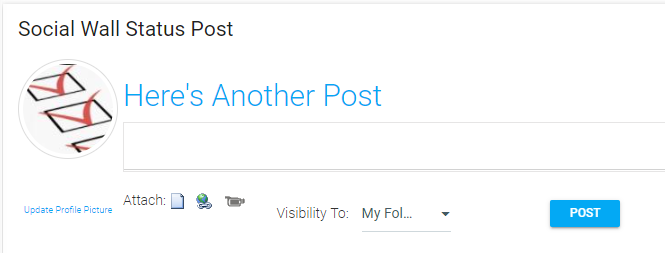
This widget allows a user to post status updates that can be viewed by their followers. There are no customizable settings that an administrator needs to set for this widget.
Users can upload an image to use as their profile icon via the Update Profile Picture link below the placeholder icon.
The text-box allows text, document attachments, hyperlinks, and video attachments.
When creating a new post, you can select visibility for each update with the Visibility To drop-down.
Once you have made all of your selections, click the Post button. Your update will be immediately visible to your selected audience in their Social Feed.
The Social Feed widget must be present in order for any posts made on the Social Wall Status to be visible to followers.